
App Live : https://ai-coverletter.netlify.app/
GitHub: https://github.com/kwagle7/AI-Personalized-Cover-Letter
Author: Kshitij Wagle (@kwagle)
📌 Introduction
This project is a complete AI-powered cover letter generator built with real-time personalization, PDF export, and secure API integration—all deployable in minutes. But it didn’t start that way.
🔍 Project Origin: From Gemini App to Production
The idea began as a prototype using Gemini App, where I experimented with generative AI prompts to write cover letters based on a resume and job description.
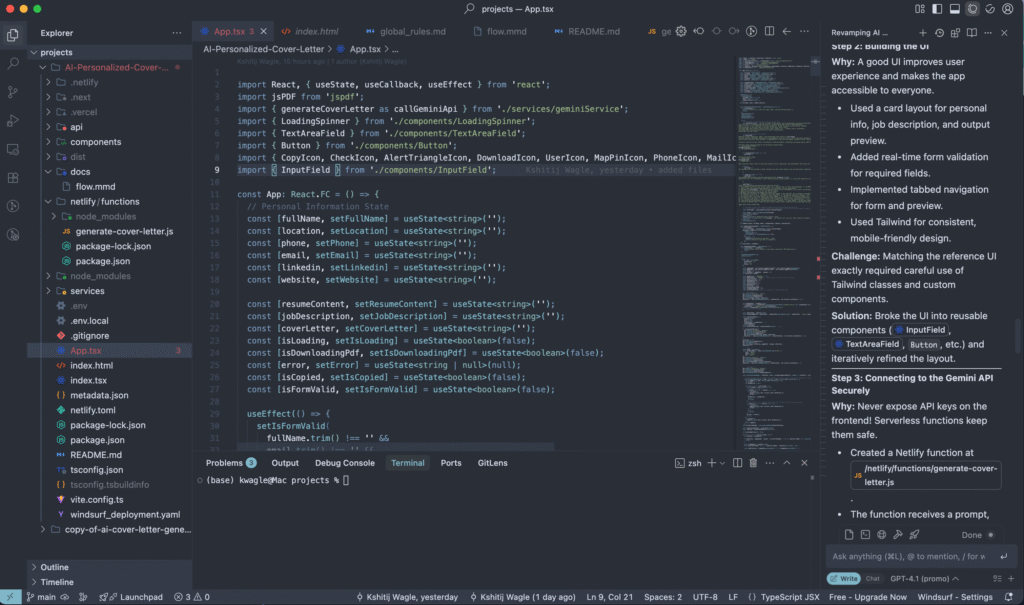
What I did was: after building the initial app inside Gemini, I exported the app and completely revamped it using Windsurf and version control. This gave me flexibility to:
- ✅ Rebuild the UI using Next.js and Tailwind CSS
- 🔐 Move Gemini logic to a secure Netlify Function
- 📄 Add PDF downloads with jsPDF
- 🚀 Deploy the final version on Netlify
SWE-1-lite and O3, and tracking logs. It made versioned deployment and prompt refinement much easier.
This guide will walk you through exactly how I went from a Gemini prototype to a secure, production-ready web app with built-in AI and PDF export.
🎯 Key Features
- 🔮 Personalized cover letter via Google Gemini API
- 🧾 Downloadable PDF output using jsPDF
- 🔐 API key hidden via Netlify Functions
- 💨 Deployed using Netlify (with optional Vercel)
- 🛠 Debugging and testing with Windsurf
🧰 Tech Stack
- Frontend: Next.js, Tailwind CSS
- Backend: Netlify Functions (Node.js)
- AI: Google Gemini API
- PDF: jsPDF
- Automation & Debug: Windsurf
- Deployment: Netlify (primary), Vercel (optional)
⚙️ Step 1: Setup Project
# Create a Next.js project
npx create-next-app AI-Personalized-Cover-Letter
cd AI-Personalized-Cover-Letter

# Install packages
npm install tailwindcss @google/generative-ai jsPDF
npx tailwindcss init -pglobals.css and configure it in tailwind.config.js
🖼 Step 2: Design the UI
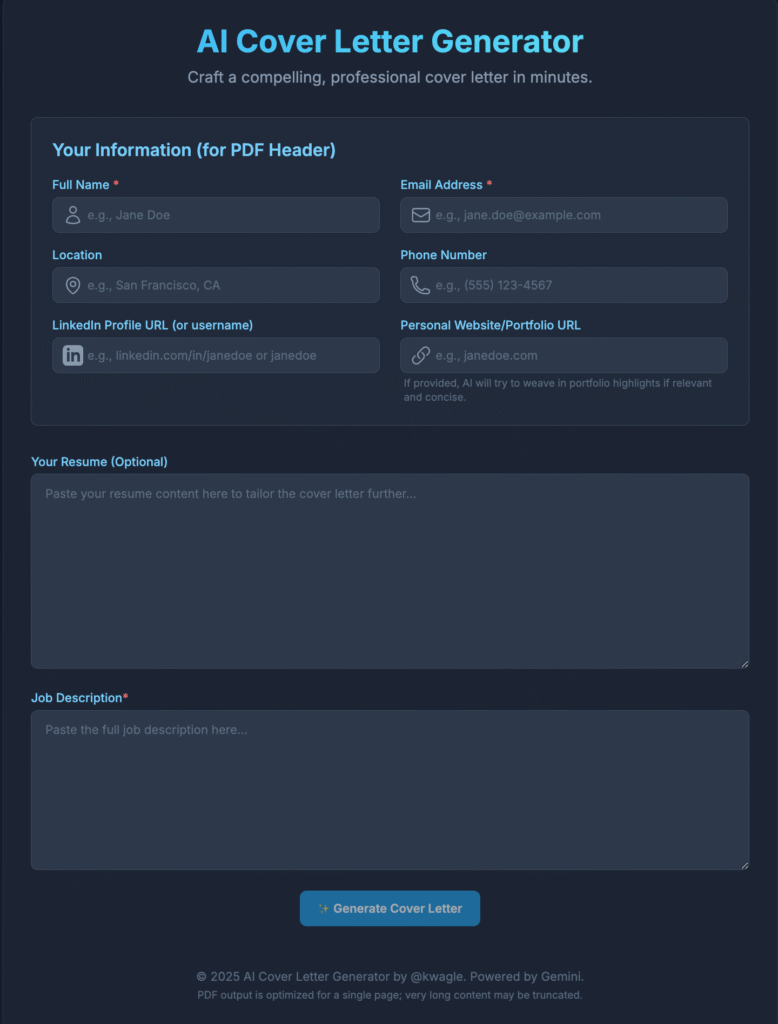
- 🎨 Clean card layout for input + preview
- ✅ Real-time form validation
- 📱 Mobile responsive using Tailwind
- 🔄 Tab navigation for switching views
Solution: Reusable components and Tailwind iterations
🔐 Step 3: Secure Gemini API
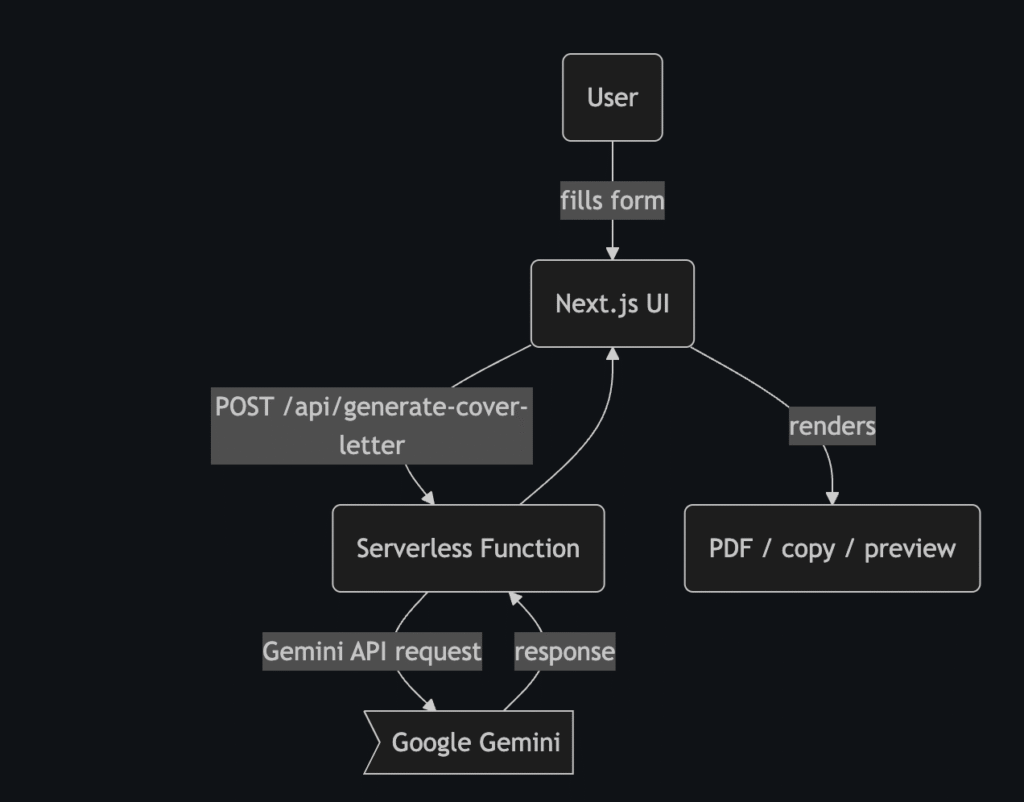
Created a serverless function /netlify/functions/generate-cover-letter.js that:
- Receives prompt from frontend
- Calls Google Gemini API
- Returns generated cover letter
📄 Step 4: Generate PDF with jsPDF
- Formatted AI response into styled single-page PDF
- Parsed basic markdown (headings, bold, bullets)
- Ensured fit on standard A4
Solution: Wrote custom markdown-to-PDF parser
🧪 Step 5: Local Testing
# Install all dependencies
npm install

# Create .env.local
echo "GEMINI_API_KEY=your-google-gemini-key" > .env.local

# Run local server
npm run dev
Visit: http://localhost:3000
☁️ Step 6: Deploy to Netlify
# One-time CLI setup
npm install -g netlify-cli
netlify login

# Init new project
netlify init

# Set environment variable
netlify env:set GEMINI_API_KEY your-google-gemini-key

# Build and deploy
npm run build
netlify deploy --build

# Deploy to production
netlify deploy --prod
🌐 Step 7: Optional Vercel Deployment
- Push your repo to GitHub
- Go to vercel.com and import
- Set
GEMINI_API_KEYin environment settings - Vercel auto-detects and deploys
🧭 Windsurf Integration
Used Windsurf for:
- 📜 Real-time Gemini prompt debugging
- 📊 Viewing logs in
/logs/YYYYMMDD* - ⚙️ Enhancing prompts with models like
SWE-1-liteandO3
🚧 Common Challenges & Fixes
| Challenge | Solution |
|---|---|
| API key exposure | Used serverless Netlify function |
| CORS errors | Moved Gemini API logic to backend |
| Markdown → PDF | Custom parser & layout manager |
| Deployment fail | Used Netlify CLI logs & env setup |
| Prompt debugging | Used Windsurf models & logs |
✅ Terminal Command Summary
# Local dev
npm install
npm run dev

# Netlify CLI setup
npm install -g netlify-cli
netlify login

# Project init
netlify init
netlify env:set GEMINI_API_KEY your-google-gemini-key

# Deploy
npm run build
netlify deploy --build
netlify deploy --prod
🏁 Conclusion
This project combined AI, automation, and full-stack skills to create a smart, deployable cover letter tool. Starting from Gemini, then revamped with Windsurf and deployed on Netlify—it’s fast, scalable, and ready for real-world use.
✨ Quick Note: What This App Delivers
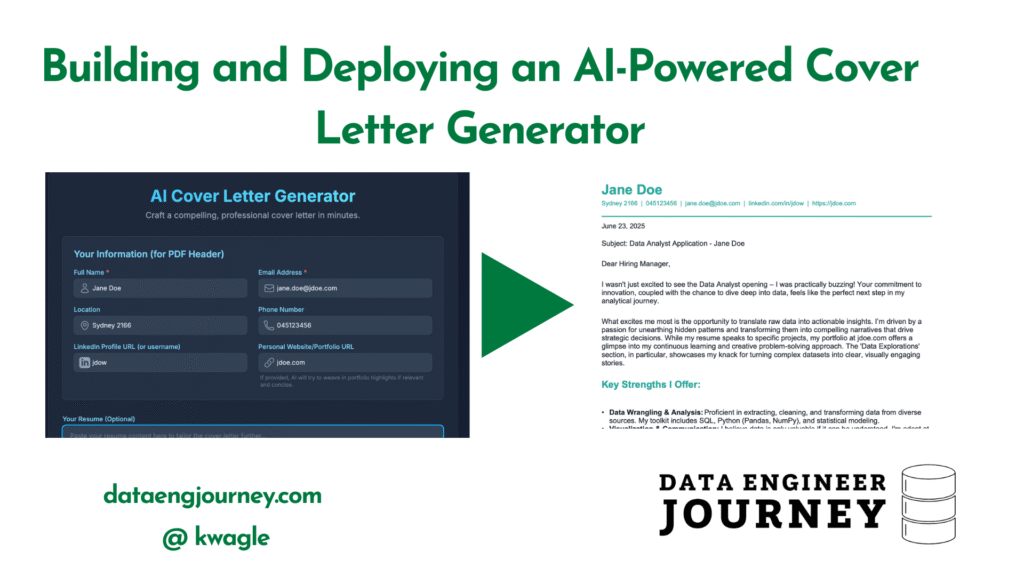
This AI-powered app generates professionally structured, visually appealing, and job-tailored cover letters—instantly.
- ✅ Starts directly with a subject line or greeting
- ✅ Clearly states the position being applied for
- ✅ Highlights the applicant’s strengths in a dynamic, non-generic tone
- ✅ Uses markdown structure (headers, bullets, bold) for readability
- ✅ Includes sections like
## Key Strengthsand optional breaks like---***--- - ✅ Ends with a clean, professional closing
- ✅ Exports as a styled one-page PDF—no extra text, no fluff
The result? A concise, impactful cover letter tailored for every job, every time.
Discover more from Data Engineer Journey
Subscribe to get the latest posts sent to your email.